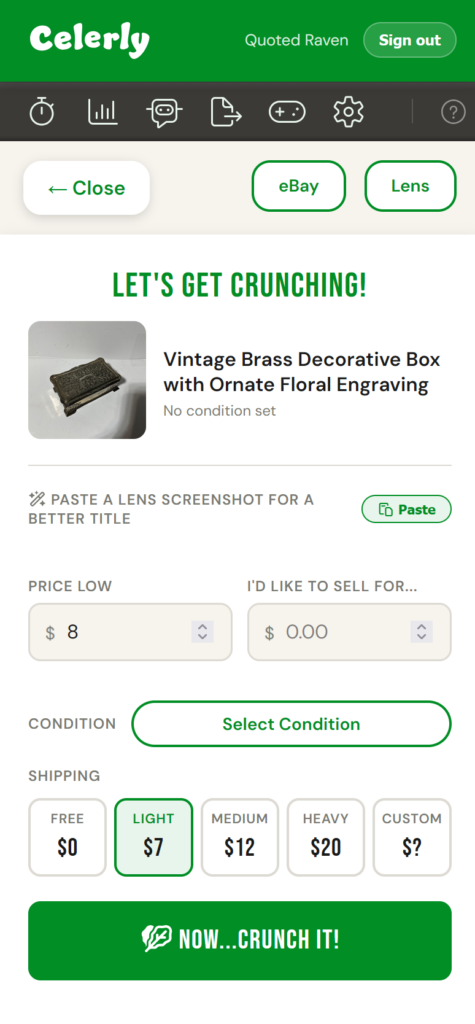
What doe we mean by Crunch It? Why not just call it a profit calculator? Or make a big deal of how valuable something is because an AI tool looked something up and noted a crazy listing on eBay has it listed for $1,000? All great questions, and the reason is simple. We're trying to break away from the natural tendency to see dollar signs when we look up comps. There's a human response to pricing, the anchoring principle, where our minds get conditioned by the first price we see. When you quickly look up comps, and we call it "profit," your brain looks for the highest number, the biggest score. Your brain completely blanks out the fact that you are in fact the low end comp...right there in your hand...the thrift store is the low comp. Before Celerly, I tried to get my mind to say, "This widget goes for as little as..." It's a complete reframing from "I've looked up comps. It's listed for as much as....!" If you've found it for $5 and someone's listing it for $100...just know, there are twenty other's that are doing the exact same thing. So we make every effort to encourage...stop, breath, and focus on reality, not profit.
The Key Figures of the Celerly Calculator #
When you click "Crunch it" from the button or icon, you'll find yourself on the Crunch screen. At the top are two buttons, eBay and Lens. These are both convenience buttons that help you look up comps.
eBay: This button takes your title and launches the eBay app with "sold comps." It's a great tool to quickly see popular items and what they are actively selling for on eBay.
Lens: This button takes your image and loads Google Lens. This is great for more nuanced items and for vintage reselling is often the preferred first comp check.